

Static Website: Upgrade and Content Posting Support – What Every Business Must Clarify
-
Home
-
Web Development
-
Static Website: Upgrade and Content Posting Support – What Every Business Must Clarify

Static Website: Upgrade and Content Posting Support – What Every Business Must Clarify
Choosing a static website is a cost-effective solution, but long-term success depends on upgrade and content posting support. This article explains why businesses must clarify future upgrade options, annual content update limits, publishing timelines, and Service Level Agreements (SLAs) before opting for a static website. Learn how lack of update support can lead to outdated content, poor SEO perf

In today’s fast-moving digital world, having a website is no longer a one-time task. Your website must grow, update, and evolve with your business. Many small businesses and startups choose static websites because they are cost-effective, fast-loading, and secure. However, what most businesses fail to consider is long-term upgrade and content update support.
Before opting for a static website, it is crucial to clearly understand how future updates and upgrades will be handled. A lack of proper update support often forces businesses to rebuild their website prematurely, leading to unnecessary expenses and downtime.
This blog explains the key questions you must ask and why static website upgrade and content posting support matters for your business success.
What Is a Static Website?
A static website consists of fixed HTML pages where content does not change automatically. Any modification—such as updating text, adding a blog, or changing images—requires manual editing of files.
Static websites are ideal for:
Small business websites
Portfolio websites
Landing pages
Informational websites
However, simplicity does not mean zero maintenance.
Why Upgrade and Content Support Is Essential for Static Websites
Many businesses assume that once a static website is live, no further effort is needed. This is a costly misconception.
Common Business Needs That Require Updates:
Adding new services or products
Updating pricing or offers
Publishing blogs or announcements
SEO improvements and content optimization
Design refresh or feature upgrades
Security and performance improvements
Without a clear update plan, businesses struggle to keep their website relevant.
Key Questions to Clarify Before Choosing a Static Website
1️⃣ Do They Provide Upgrade Services Later?
This is the most important question.
Ask your website provider:
Can the static website be upgraded to a dynamic or CMS-based website later?
Will the existing design and content be reused?
Is the upgrade scalable for future business growth?
A professional web agency designs static websites with future expansion in mind, avoiding complete redevelopment.
🔴 Risk if ignored:
You may have to rebuild your website from scratch when your business grows.
2️⃣ How Many Content Updates Are Included Annually?
Static websites require manual updates. Ask clearly:
How many content updates are included per year?
What qualifies as a content update? (Text change, image replacement, page addition)
Are blog uploads included?
Some providers offer zero post-launch updates, leaving businesses stuck.
🟢 Best practice:
Annual update quota
Affordable add-on packages for extra updates
3️⃣ How Long Does It Take to Publish a Post or Page Update?
Time matters in business.
Clarify:
How long does it take to publish a new blog or announcement?
What is the turnaround time for urgent updates?
Are updates handled on priority when required?
For example:
Simple text update: 24–48 hours
New page upload: 2–3 working days
🔴 Slow updates = lost opportunities, especially during promotions or announcements.
4️⃣ Is There a Defined SLA (Service Level Agreement)?
An SLA defines commitment and accountability.
A proper SLA should include:
Response time for update requests
Delivery timeline for changes
Support availability (email, ticket, call)
Downtime handling during updates
Without an SLA, businesses often face delays, poor communication, and unprofessional support.
Why Lack of Update Support Forces Website Rebuilding
When businesses cannot update content easily:
Information becomes outdated
SEO rankings drop
User trust declines
Competitors gain advantage
Eventually, the website becomes unusable, forcing a complete redesign or redevelopment, which costs significantly more than ongoing maintenance.
💡 Smart businesses plan updates from day one.
Best Practices for Static Website Support
✔ Choose a provider offering post-launch support plans
✔ Ensure clear documentation of updates and timelines
✔ Opt for upgrade-ready architecture
✔ Align website growth with business expansion goals
Final Thoughts
A static website can be a powerful digital asset—if supported properly. Before making your decision, clarify upgrade options, content update limits, publishing timelines, and SLA commitments.
A website is not just a design; it is a long-term business tool. Investing in proper update and upgrade support today will save you time, money, and frustration tomorrow.
Share this post:
Related Posts
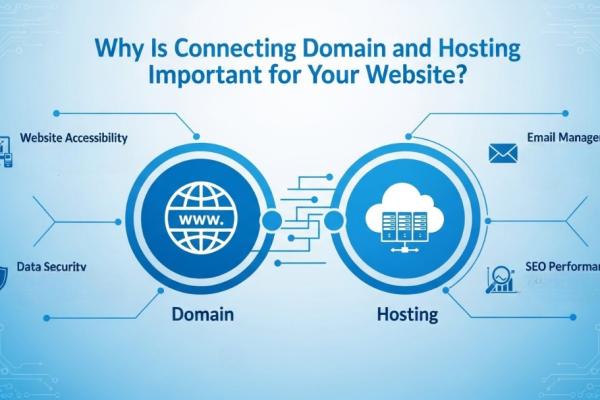
Confused about domain and hosting connection? This complete guide by Code Sparrow explains how to co...

Learn everything about web hosting with Code Sparrow. Explore different types of hosting, essential...

What is an SSL Certificate? Discover how SSL secures websites, boosts SEO, builds trust, and why eve...