

Complete Guide to Connecting Domain and Hosting for Beginners
-
Home
-
Web Development
-
Complete Guide to Connecting Domain and Hosting for Beginners

Complete Guide to Connecting Domain and Hosting for Beginners
Confused about domain and hosting connection? This complete guide by Code Sparrow explains how to connect your domain to hosting, manage DNS, avoid common mistakes, and improve website performance and SEO.

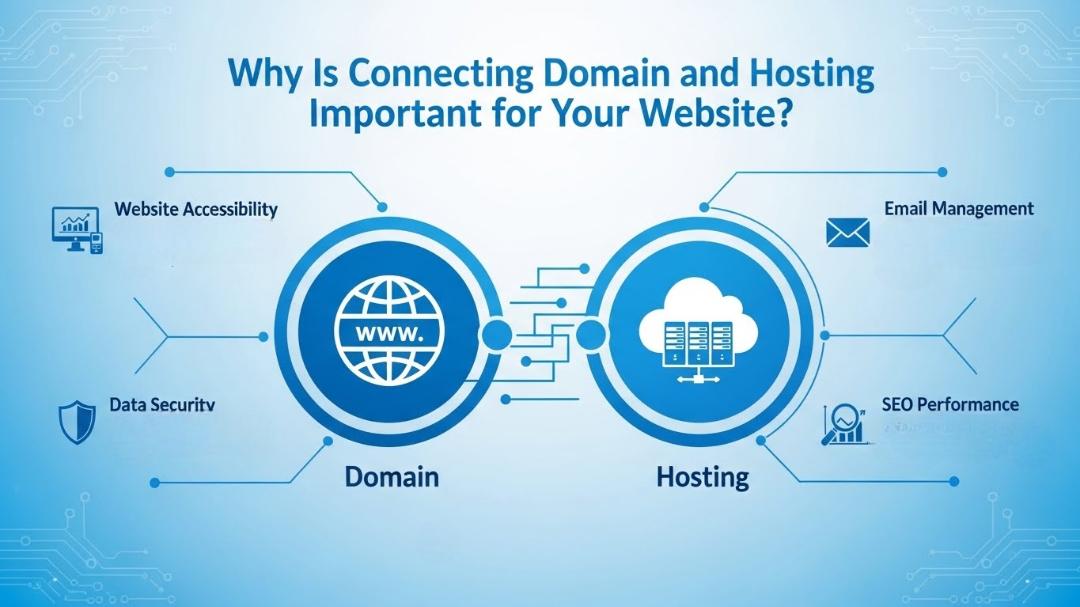
When it comes to building a website, understanding the connection between your domain and hosting is essential. Many beginners get confused about these two concepts, but knowing how they work together is crucial for running a smooth, professional website. In this comprehensive guide, we’ll break down everything about domain and hosting connection, step by step.
What is a Domain Name?
A domain name is the online address of your website. It’s what people type in their browser to visit your site, like www.codesparrow.org. Think of it as your home’s address – without it, visitors won’t be able to find you online.
Key Features of a Domain Name:
- Unique Name: Every domain is unique; no two websites can have the same domain.
- Extension Types:
.com,.org,.net,.in, and more. - Branding: A good domain represents your brand identity.
- SEO Advantage: Keywords in your domain can improve search engine visibility.
What is Web Hosting?
Web hosting is the service that stores your website files on a server so they can be accessed online. Without hosting, your website cannot exist on the internet. Hosting ensures your website is live, secure, and accessible to users 24/7.
Types of Web Hosting:
- Shared Hosting: Affordable, multiple websites share the same server.
- VPS Hosting: More control and resources, ideal for growing websites.
- Dedicated Hosting: A whole server dedicated to your website, perfect for high-traffic websites.
- Cloud Hosting: Flexible and scalable hosting for modern websites.
- Managed WordPress Hosting: Optimized for WordPress websites with automatic updates and security.
How Domain and Hosting Work Together
Think of your domain as your website’s address and your hosting as the house where your website lives. When someone enters your domain in a browser, the domain name is translated into an IP address that points to your hosting server. This process is called DNS (Domain Name System) propagation.
Steps in Domain Hosting Connection:
- Buy a Domain: Choose and register a unique domain name from a domain registrar.
- Purchase Hosting: Buy hosting from a reliable provider like Code Sparrow.
- Connect Domain to Hosting: Update the nameservers in your domain registrar account to point to your hosting provider.
- Install Your Website: Upload your website files or install CMS like WordPress.
- Check DNS Propagation: It can take 24–48 hours for changes to propagate globally.
Step-by-Step Guide to Connect Domain and Hosting
Step 1: Buy Your Domain
- Choose a relevant and memorable name.
- Use a domain registrar like GoDaddy, Namecheap, or your hosting provider.
- Avoid complex names or numbers.
Step 2: Buy Hosting
- Select hosting based on your website needs.
- Check storage, bandwidth, security, and support.
- Code Sparrow offers reliable hosting solutions tailored for businesses and personal websites.
Step 3: Update Nameservers
- Log in to your domain registrar account.
- Find the DNS or Nameservers section.
- Replace the default nameservers with those provided by your hosting provider.
Example:
Step 4: Upload Your Website
- Access your hosting cPanel or file manager.
- Upload website files via FTP or use the built-in website builder.
- For WordPress, install the WordPress package via cPanel.
Step 5: Test Your Website
- Open your domain in a browser.
- Ensure it loads correctly and all pages are working.
- If not, check DNS settings and file paths.
Common Issues in Domain-Hosting Connection
Even after following all steps, beginners face some common issues:
- DNS Propagation Delay: It can take up to 48 hours for the domain to fully point to your hosting.
- Incorrect Nameservers: Double-check your nameserver entries.
- Expired Domain or Hosting: Ensure both services are active.
- Cache Problems: Clear browser cache or use online tools to check live DNS.
SEO Benefits of Proper Domain and Hosting Connection
A properly connected domain and hosting setup is crucial for SEO. Here’s why:
- Website Speed: Hosting affects load time – a faster website ranks better.
- Secure HTTPS: Hosting allows SSL installation, boosting SEO and trust.
- Uptime: Reliable hosting ensures your website is always accessible to users and search engines.
- Domain Authority: Using a unique, branded domain improves credibility and SEO performance.
Why Choose Code Sparrow for Hosting and Domain Connection?
At Code Sparrow, we provide end-to-end solutions for domain registration, hosting, and website setup.
- Easy domain registration and management
- Reliable hosting with high uptime
- Free SSL certificates for security
- One-click WordPress installation
- 24/7 expert support
Whether you are starting a personal blog, an eCommerce store, or a business website, Code Sparrow ensures your domain and hosting are perfectly connected for a smooth online presence.
Conclusion
Connecting your domain to hosting is a critical step in building a successful website. By understanding domains, hosting, and DNS settings, you can ensure your website is live, secure, and SEO-friendly. Following the steps in this guide will help beginners and business owners get their websites online efficiently.
For hassle-free domain registration, hosting, and website setup, trust Code Sparrow to make your website journey smooth and professional.
Share this post:
Related Posts

Learn everything about web hosting with Code Sparrow. Explore different types of hosting, essential...
What is an SSL Certificate? Discover how SSL secures websites, boosts SEO, builds trust, and why eve...

Choosing a static website is a cost-effective solution, but long-term success depends on upgrade and...