

What is an SSL Certificate ? - Complete Guide to Secure Your Website (Beginner to Advanced)
-
Home
-
Web Development
-
What is an SSL Certificate ? - Complete Guide to Secure Your Website (Beginner to Advanced)

What is an SSL Certificate ? - Complete Guide to Secure Your Website (Beginner to Advanced)
What is an SSL Certificate? Discover how SSL secures websites, boosts SEO, builds trust, and why every business website needs HTTPS today. Complete guide to SSL Certificates – meaning, types, benefits, SEO impact, errors & fixes. Protect your website data with Code Sparrow.

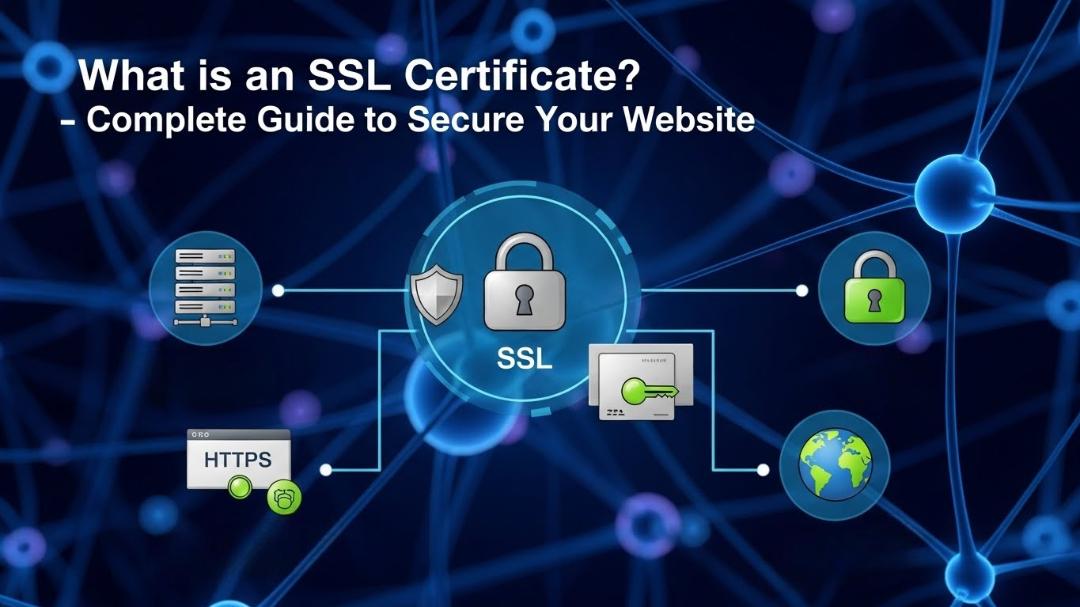
In today’s digital world, website security is not optional anymore. Whether you run a business website, blog, eCommerce store, or portfolio, protecting user data is critical. This is where an SSL Certificate plays a vital role.
If you’ve ever noticed the padlock icon 🔒 next to a website URL or seen https:// instead of http://, that’s SSL in action.
In this detailed guide by Code Sparrow, we’ll explain everything about SSL certificates in a simple, human-friendly, and practical way—from basics to benefits, types, costs, installation, and SEO impact.
What is an SSL Certificate?
SSL (Secure Sockets Layer) is a digital security certificate that encrypts the connection between a user’s browser and a website server.
In simple words:
SSL protects data like passwords, contact forms, payment details, and personal information
It prevents hackers from reading or stealing data
It builds trust and credibility for your website
Today, SSL technically works through TLS (Transport Layer Security), but the term SSL is still commonly used.
Why SSL Certificate is Important for Your Website
Many website owners think SSL is only needed for payment websites—but that’s a myth. SSL is important for every website.
1. Data Security
SSL encrypts:
Login credentials
Contact form submissions
Payment information
Customer data
Without SSL, this data can be intercepted by attackers.
2. Builds Trust with Visitors
Users trust websites that show:
🔒 Padlock icon
Secure connection
HTTPS URL
Browsers like Chrome show “Not Secure” warnings for non-SSL websites, which scares visitors away.
3. Better Google Rankings (SEO Benefit)
Google officially confirmed that HTTPS is a ranking factor.
SSL helps:
Improve search engine rankings
Increase organic traffic
Reduce bounce rate
If two websites are equal in content and performance, Google prefers the secure one.
4. Required for Online Payments
If you accept:
Credit/debit cards
UPI or wallets
Online bookings
SSL is mandatory to process payments securely.
5. Compliance & Legal Safety
SSL helps meet:
GDPR requirements
Data protection laws
Industry security standards
How SSL Certificate Works (Simple Explanation)
Here’s what happens when a visitor opens your SSL-enabled website:
Browser requests a secure connection
Website sends its SSL certificate
Browser verifies the certificate
Encrypted connection is created
Data is transferred securely
All of this happens in milliseconds—without the user noticing.
Types of SSL Certificates
Choosing the right SSL depends on your website needs.
1. Domain Validation (DV SSL)
✔ Basic security ✔ Fast activation ✔ Ideal for blogs & small websites
Verification: Only domain ownership
2. Organization Validation (OV SSL)
✔ Business verification ✔ Higher trust level ✔ Suitable for business websites
Verification: Company + domain
3. Extended Validation (EV SSL)
✔ Highest trust ✔ Shows verified business identity ✔ Best for eCommerce & finance sites
Verification: Strict background checks
4. Wildcard SSL
✔ Secures main domain + unlimited subdomains
Example:
example.com
blog.example.com
shop.example.com
5. Multi-Domain SSL (SAN SSL)
✔ One certificate for multiple domains
Example:
example.com
example.net
example.org
Free vs Paid SSL Certificates
Free SSL (Like Let’s Encrypt)
Pros:
Free of cost
Basic encryption
Trusted by browsers
Cons:
Short validity (90 days)
Limited support
Not ideal for large businesses
Paid SSL Certificates
Pros:
Extended validation options
Warranty protection
Strong brand trust
Customer support
Cons:
Annual cost
💡 At Code Sparrow, we help you choose the right SSL based on your business goals and budget.
How to Check If Your Website Has SSL
You can easily check SSL by:
Looking for 🔒 padlock in browser
Checking URL starts with https://
Using online SSL checker tools
If your site shows Not Secure, SSL is missing or misconfigured.
Common SSL Errors & How to Fix Them
1. Mixed Content Error
Occurs when HTTPS site loads HTTP resources
✔ Fix: Update all internal links to HTTPS
2. Expired SSL Certificate
✔ Fix: Renew SSL before expiry
3. Incorrect Certificate Installation
✔ Fix: Proper server-side configuration
Code Sparrow provides complete SSL setup & troubleshooting support.
SSL Certificate & Website Performance
Modern SSL certificates:
Do NOT slow down websites
Support HTTP/2 & faster loading
Improve overall user experience
Security and speed go hand in hand today.
SSL Certificate for SEO – Complete Truth
SSL helps SEO by:
Improving Google trust
Increasing dwell time
Reducing bounce rate
Enabling secure crawling
However, SSL alone won’t rank your site—you also need:
Quality content
Fast loading speed
Mobile responsiveness
SSL Installation – Should You DIY or Hire Experts?
DIY is possible, but:
Incorrect setup causes errors
SEO issues may occur
Downtime risk exists
🔧 Code Sparrow recommends professional SSL installation for hassle-free security and zero errors.
Why Choose Code Sparrow for SSL & Website Security?
At Code Sparrow, we don’t just install SSL—we secure your entire digital presence.
✔ Free SSL guidance ✔ Paid SSL setup ✔ HTTPS migration ✔ Error fixing ✔ SEO-safe implementation ✔ Ongoing security support
Final Thoughts
An SSL Certificate is no longer optional—it’s a basic requirement for trust, security, and SEO success.
If your website is still running on HTTP, you’re:
Losing visitors
Hurting SEO
Risking data security
📞 Let Code Sparrow secure your website today and build trust with your audience.
Need help with SSL installation or website security?
👉 Contact Code Sparrow for professional website solutions that grow your business securely.
Share this post:
Related Posts
Confused about domain and hosting connection? This complete guide by Code Sparrow explains how to co...

Learn everything about web hosting with Code Sparrow. Explore different types of hosting, essential...

Choosing a static website is a cost-effective solution, but long-term success depends on upgrade and...