

How to Check the Technology Stack Your Website Designer Works With
-
Home
-
Technology Reviews
-
How to Check the Technology Stack Your Website Designer Works With

How to Check the Technology Stack Your Website Designer Works With
Before choosing a website designer, it’s important to understand the technology they use behind the scenes. This blog explains website technology stacks in simple language, helping business owners learn about CMS platforms, frameworks, security, scalability, and future upgrades—so you can make the right decision with confidence.

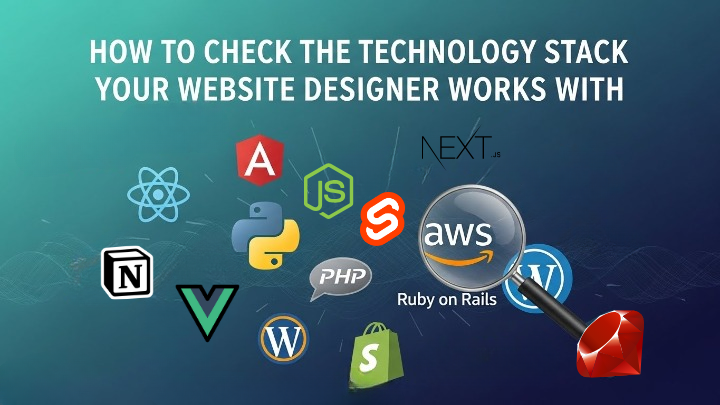
When you decide to create a website for your business, it’s normal to focus on design—colors, layout, and how attractive it looks. But what many people don’t realize is that the real strength of a website lies behind the scenes. This is where the technology stack comes in.
Think of your website like a building. The design is the paint and décor, but the technology stack is the foundation. If the foundation is weak, the website may look good at first but will cause problems later.
What Is a Technology Stack ?
A technology stack is the set of tools and software used to build your website. This includes:
- The platform or CMS
- The programming language
- The framework
- The database and hosting setup
A professional website designer should always be transparent about the tools they use and explain them in a way you can understand.
1. Ask Which CMS or Framework They Use
A good website designer should clearly tell you what platform they are using and why.
Common Website Technologies Explained Simply
WordPress
WordPress is one of the most popular website platforms in the world. It’s easy to manage and doesn’t require technical knowledge to update content.
Best for:
- Small businesses
- Blogs
- Service websites
- Portfolio websites
Laravel
Laravel is a powerful framework used to build custom websites and web applications. It’s more secure and flexible but also more complex.
Best for:
- Custom business solutions
- Large platforms
- Web portals
React / Angular
These are modern technologies used to create fast and interactive websites. They are commonly used in apps and advanced web platforms.
Best for:
- High-performance websites
- Interactive dashboards
- Modern user experiences
Static HTML/CSS Websites
These are simple websites built without a CMS. They load fast and are easy to host.
Best for:
- Small businesses
- One-page websites
- Informational sites
A professional designer won’t just name these technologies—they will explain them in plain language.
2. Why That Technology Is Right for Your Business
This is the most important part.
A good designer doesn’t use the same technology for every client. Instead, they ask questions like:
- What kind of business do you run?
- Do you plan to grow in the future?
- Will you update the website yourself?
- Do you need advanced features later?
For example:
- If you want an easy-to-manage website, WordPress is often the best choice.
- If your business needs custom features, Laravel may be more suitable.
- If speed and user experience are a priority, React could be recommended.
If a designer can clearly explain why a technology fits your business goals, it shows experience and honesty.
3. Scalability: Can Your Website Grow With Your Business?
Your business won’t stay the same forever—and your website shouldn’t either.
Ask your designer:
- Can this website handle more visitors in the future?
- Can we add new pages, features, or products later?
- Will the website slow down as it grows?
A professional designer always plans for the future, not just the launch day.
As technology continues to evolve, many businesses are already moving towards smarter solutions like AI-driven web development and the future of websites in 2026.
4. Security: How Safe Is Your Website?
Website security is often ignored until something goes wrong.
A good designer should explain:
- How your website is protected from hacking
- Whether the CMS and plugins are updated regularly
- If backups are taken automatically
If your website collects customer data, security is not optional—it’s essential.
5. Upgrade & Maintenance Roadmap
Technology changes quickly. Your website should not become outdated in a year.
Ask:
- How easy is it to update the website later?
- Will new features be compatible with the current setup?
- Is long-term maintenance possible?
A reliable designer will always think ahead and offer a clear upgrade plan.
6. Red Flags You Should Never Ignore
Be careful if:
- The designer avoids explaining the technology
- They use outdated platforms
- They say “Don’t worry, you don’t need to know”
- They don’t talk about future growth or security
Transparency is a sign of professionalism.
Final Thoughts
Your website is not just a design—it’s a business tool. The right technology stack ensures:
- Better performance
- Long-term growth
- Strong security
- Easy updates
Before hiring a website designer, always ask about the technology behind the website. A professional designer will educate you, guide you, and build something that supports your business for years to come.
Share this post:
Related Posts
A guide to evaluating custom website development technology, PHP versions, security, and future comp...

Your website is the digital face of your business. While ready-made templates may seem like a quick...
In today’s digital-first world, your website is often the first impression potential customers have...